The way businesses operate has changed dramatically over the last few years. Remote work and hybrid work models are no longer temporary adjustments — they are now a permanent part of modern business operations.
According to a report by McKinsey & Company, over 58% of employees globally now have the option to work remotely at least part of the time. Meanwhile, studies from Gartner suggest that organizations enabling flexible work models can improve employee productivity by up to 30%.
However, successful Work From Home (WFH) operations require more than just laptops and internet connections. Businesses need secure communication systems, collaboration tools, cloud-based telephony, monitoring capabilities, and scalable infrastructure to ensure uninterrupted operations.
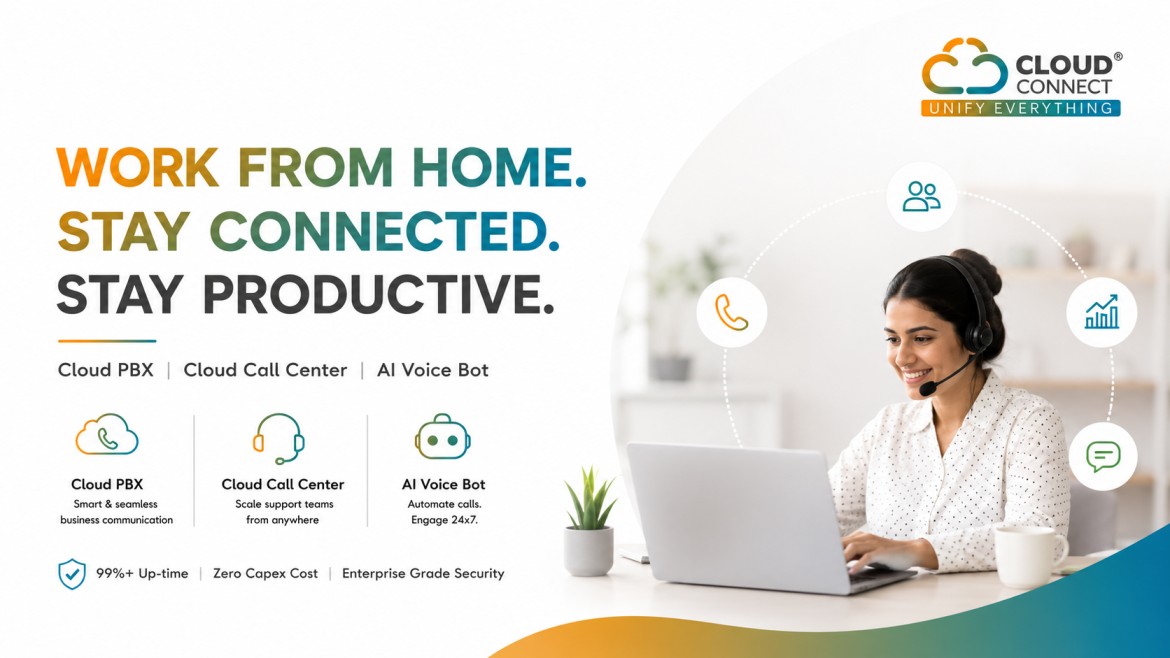
In this guide, we’ll explain how businesses can successfully implement a Work From Home solution, the tools required, challenges involved, and how cloud communication platforms like Cloud PBX and Cloud Call Center make remote operations seamless.
Key Components of a Successful Work From Home Solution
To successfully implement Work From Home operations, businesses need a combination of communication, collaboration, security, and monitoring systems.
1. Cloud Communication System
Traditional office phone systems are difficult to manage remotely. Businesses need cloud-based communication solutions that employees can access from anywhere.
This includes:
-
Cloud PBX
-
Cloud Call Center
-
Softphones
-
Business calling apps
-
Video conferencing
-
Team collaboration tools
A cloud-based communication system ensures employees remain connected whether they work from home, branch offices, or while traveling.
2. Reliable Internet Connectivity
Remote employees need stable internet connections for:
-
Voice calls
-
Video meetings
-
CRM access
-
Customer support operations
Businesses should also ensure backup internet options for critical teams.
3. Secure Remote Access
Security becomes critical when employees access company systems remotely.
Organizations should implement:
-
VPN access
-
Multi-factor authentication
-
Secure cloud storage
-
Role-based access control
-
Endpoint security tools
According to IBM Security, remote work-related data breaches increased significantly due to unsecured devices and weak remote access policies.
4. Collaboration & Productivity Tools
Remote teams require platforms for:
-
Internal communication
-
File sharing
-
Task management
-
Video meetings
-
Project collaboration
Popular tools include:
-
Microsoft Teams
-
Slack
-
Zoom
-
Google Workspace
-
Notion
-
Trello
How Cloud PBX Helps Work From Home Operations
A Cloud PBX (Private Branch Exchange) is one of the most important technologies for remote work enablement.
Unlike traditional EPABX systems that require physical hardware, Cloud PBX operates entirely through the internet.
Benefits of Cloud PBX for WFH
✅ Employees Can Work from Anywhere
Employees can make and receive official business calls using:
-
Mobile apps
-
Desktop softphones
-
Web browsers
✅ Zero Capex Infrastructure
Businesses don’t need expensive PBX hardware or office installations.
✅ Unified Communication
Cloud PBX combines:
-
Voice calls
-
Chat
-
Video meetings
-
Team collaboration
into one platform.
✅ Intelligent Call Management
Features include:
-
IVR
-
Call forwarding
-
Call routing
-
Auto attendants
-
Call recording
-
Voicemail
✅ CRM Integration
Cloud PBX can integrate with CRMs like:
-
Zoho
-
HubSpot
-
Salesforce
-
Freshdesk
This improves customer support and sales productivity.
How Cloud Call Center Enables Remote Teams
For businesses managing customer support, telesales, or collections teams, Cloud Call Center solutions are essential.
A cloud-based call center allows agents to work remotely while managers maintain full visibility and control.
Features of Cloud Call Center
✅ Remote Agent Management
Agents can log in from anywhere using secure credentials.
✅ Live Monitoring
Managers can monitor:
-
Agent activity
-
Call quality
-
Performance metrics
-
Customer interactions
✅ Real-Time Analytics
Businesses can track:
-
Average handling time
-
Missed calls
-
CSAT scores
-
Call volumes
-
Agent productivity
✅ Smart IVR & Routing
Calls can automatically route to the right department or remote agent.
✅ Scalability
Businesses can quickly add or remove agents without physical infrastructure upgrades.
Role of AI Voice Bots in Work From Home Operations
AI-powered Voice Bots are becoming increasingly important for businesses managing high customer interaction volumes.
According to Juniper Research, AI chatbots and voice bots are expected to save businesses over $11 billion annually.
AI Voice Bot Use Cases
-
Lead qualification
-
Appointment booking
-
Automated reminders
-
Customer support
-
Survey calls
-
Payment follow-ups
AI Voice Bots reduce agent workload while ensuring 24x7 customer engagement.
Steps to Implement a Work From Home Solution
Step 1 — Assess Business Requirements
Identify:
-
Team size
-
Communication needs
-
Customer interaction volume
-
Remote access requirements
-
Security concerns
Step 2 — Choose Cloud-Based Infrastructure
Select platforms for:
-
Communication
-
Collaboration
-
Cloud telephony
-
CRM integration
-
Monitoring & reporting
Step 3 — Deploy Remote Communication Tools
Implement:
-
Cloud PBX
-
Cloud Call Center
-
Video conferencing tools
-
Team collaboration platforms
Step 4 — Train Employees
Provide training for:
-
Communication tools
-
Security practices
-
Remote collaboration
-
Customer interaction handling
Step 5 — Monitor Performance
Use analytics dashboards to monitor:
-
Team productivity
-
Call quality
-
Customer satisfaction
-
Operational efficiency
Common Challenges in Work From Home Setup
1. Connectivity Issues
Poor internet connectivity can impact voice quality and productivity.
Solution:
Use cloud platforms optimized for low-latency communication and provide internet backup options.
2. Security Risks
Remote work increases cybersecurity risks.
Solution:
Implement VPNs, MFA, secure access policies, and cloud security solutions.
3. Team Coordination
Remote employees may struggle with communication gaps.
Solution:
Use unified communication and collaboration platforms.
4. Monitoring & Productivity Tracking
Managers may find it difficult to monitor remote operations.
Solution:
Use Cloud Call Center dashboards and analytics tools.
Future of Work From Home in India
India is rapidly becoming one of the largest remote workforce markets globally.
According to NASSCOM, hybrid and remote work models are expected to become standard across IT, customer support, sales, education, and consulting industries.
Businesses investing in cloud communication infrastructure today will gain significant operational flexibility and scalability in the future.
Why Businesses Prefer Cloud-Based WFH Solutions
Businesses are increasingly shifting to cloud-based systems because they offer:
✅ Lower operational cost
✅ Faster deployment
✅ Remote accessibility
✅ Better scalability
✅ Enterprise-grade security
✅ Real-time monitoring
✅ Improved customer experience
Cloud-based communication systems help businesses remain agile, scalable, and future-ready.
Frequently Asked Questions (FAQs)
1. What is a Work From Home solution?
A Work From Home solution includes cloud communication, collaboration, and remote access tools that allow employees to work remotely while staying connected to business operations.
2. What is Cloud PBX?
Cloud PBX is a cloud-based business phone system that enables employees to make and receive business calls from anywhere using internet-enabled devices.
3. Can a call center operate remotely?
Yes. Cloud Call Center solutions allow agents and managers to operate remotely with features like IVR, analytics, call recording, and live monitoring.
4. Is Cloud PBX secure?
Yes. Modern Cloud PBX platforms use encryption, secure authentication, and enterprise-grade security measures to protect communication systems.
5. What is the benefit of AI Voice Bots?
AI Voice Bots automate customer interactions, reduce operational workload, improve response times, and provide 24x7 support.
6. How much does a cloud communication setup cost?
Cloud-based systems are significantly more affordable than traditional hardware-based systems. Many solutions start with subscription-based pricing models and require zero upfront infrastructure investment.
7. Which industries can use Work From Home solutions?
Industries including IT, BPO, customer support, healthcare, education, real estate, finance, consulting, and e-commerce can effectively implement WFH solutions.
About CloudConnect
CloudConnect is India’s 1st Licensed B2B Digital Telco (VNO), helping businesses enable seamless communication through Cloud PBX, Cloud Call Center, AI Voice Bot, and enterprise cloud communication solutions.
CloudConnect empowers businesses to:
-
Enable Work From Home operations
-
Set up remote call centers
-
Improve customer communication
-
Automate workflows
-
Scale communication infrastructure securely
Trusted by 400+ businesses, CloudConnect provides scalable, secure, and enterprise-grade communication solutions accessible from mobile, desktop, and web platforms.
📞 India: +91 82328 23823
📧 info@cloud-connect.in
🌐 www.cloudconnect.in