Voice automation is rapidly transforming enterprise customer operations.
-
The global conversational AI market is projected to exceed $40 billion within this decade, driven by enterprise automation demand.
-
Studies indicate that 40–70% of inbound calls in large enterprises are repetitive, making them ideal for automation.
-
AI-assisted voice operations reduce Average Handling Time (AHT) by 20–50%.
-
Enterprises deploying voice bots report up to 30–60% automation of Tier-1 queries within 3–6 months.
-
Organizations integrating AI with human agents see measurable improvements in First Call Resolution (FCR), CSAT, and conversion rates.
This guide provides a detailed, technical, and operational blueprint to deploy a voice bot on your current infrastructure without disruption.
Step 1: Audit Your Existing Infrastructure
Before deployment, conduct a full technical and operational audit.
Typical Existing Call Centre Stack
-
SIP trunks / PRI lines
-
On-prem or cloud PBX
-
CRM system
-
Ticketing platform
-
Dialer system (for outbound)
-
Call recording & QA tools
-
Workforce management software
-
Analytics dashboards
Key Technical Questions
-
Is telephony SIP-based?
-
Does your PBX support API-based routing?
-
Can your IVR integrate via APIs or SIP forwarding?
-
Is CRM accessible via REST APIs?
-
What is your current AHT and FCR?
-
What percentage of calls are repetitive?
In most enterprises, the top 10 intents account for 50–65% of total call volume.
These become your initial automation targets.
Step 2: Define Automation Strategy
Voice bots can be deployed in three strategic models:
Model A: Conversational IVR Upgrade
Replace DTMF-based IVR (“Press 1 for Sales”) with natural language understanding.
Benefits:
-
Faster navigation
-
Reduced menu frustration
-
Higher containment rate
-
Improved caller experience
Model B: AI Triage Layer (Frontline Automation)
Voice bot answers first, resolves repetitive queries, and escalates complex cases to human agents.
Ideal for:
-
BFSI
-
Healthcare
-
EdTech
-
E-commerce
-
Telecom
Impact:
-
25–40% agent load reduction
-
Reduced queue time
-
Smarter routing
Model C: Real-Time Agent Assist
Voice bot listens silently during live calls and:
-
Transcribes in real time
-
Detects sentiment shifts
-
Suggests contextual responses
-
Flags compliance risks
-
Automates CRM updates
Enterprises report:
-
10–20% faster agent onboarding
-
Improved cross-sell conversions
-
Lower compliance risk
Step 3: Technical Integration Architecture
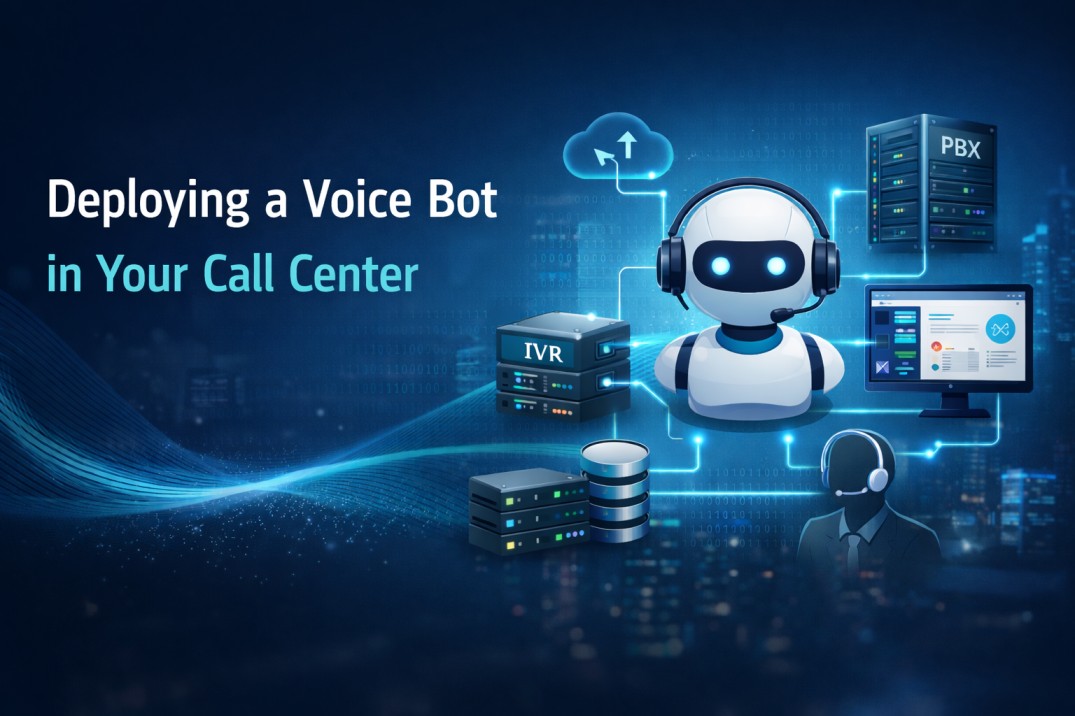
A well-designed architecture ensures seamless deployment.
1️⃣ Telephony Integration
Voice bot connects through:
-
SIP trunk integration
-
API-based call control
-
Cloud telephony bridge
-
WebRTC streaming infrastructure
Requirements:
-
Sub-300ms latency
-
TLS/SRTP encryption
-
Failover routing
-
Load balancing
2️⃣ Real-Time Voice Streaming
Modern deployments use WebSocket-based streaming for:
-
Bi-directional voice exchange
-
Natural interruption handling
-
Instant speech-to-text processing
-
Context-aware response generation
This removes robotic delays and improves conversation flow.
3️⃣ Backend & CRM Integration
True automation requires backend connectivity.
Integrations include:
-
Customer lookup APIs
-
Ticket creation
-
Order management systems
-
Payment gateways
-
Appointment scheduling engines
-
ERP integration
-
Collection systems
📊 Bots integrated with CRM can complete end-to-end transactions.
Bots without backend integration are limited to FAQs.
4️⃣ Intelligent Routing & Escalation
Dynamic routing logic uses:
-
Intent classification
-
Keyword detection
-
Caller history
-
Sentiment signals
-
VIP tagging
-
Previous ticket status
Proper routing can improve FCR by 15–25%.
Step 4: Security & Compliance Framework
Enterprise AI deployment must include:
-
End-to-end encryption
-
Secure voice transport (TLS/SRTP)
-
Data masking (PAN, Aadhaar, card details)
-
PCI-DSS compliance
-
GDPR / DPDP compliance
-
Audit logs
-
Role-based access control
-
Secure API authentication
📊 70% of CIOs cite data governance as the primary adoption concern.
Step 5: Training & Intent Modeling
Intent design is critical.
Process:
-
Analyze historical call recordings.
-
Identify top 50 intents.
-
Group into automation tiers.
-
Train NLP model with real conversation samples.
-
Test edge cases and fallback flows.
-
Design human escalation triggers.
Accuracy benchmarks:
-
Initial deployment: 80–85%
-
Optimized model: 90–95%
Continuous retraining is essential.
Step 6: Phased Rollout Strategy
Avoid full-scale launch.
Recommended Phases
Phase 1: Internal testing
Phase 2: 5–10% traffic pilot
Phase 3: 25% automation
Phase 4: Progressive scaling
Monitor:
-
Containment rate
-
Escalation rate
-
Drop-off rate
-
CSAT
-
AHT
-
Cost per interaction
Typical ROI timeline: 3–6 months
Step 7: Measure ROI
Key Performance Indicators:
|
KPI |
Impact |
|
Automation Rate |
Operational savings |
|
AHT Reduction |
Agent productivity |
|
Cost per Call |
Direct cost savings |
|
FCR |
Customer satisfaction |
|
Conversion Rate |
Revenue growth |
|
Collection Success |
Financial recovery |
Enterprises typically achieve:
-
30–60% automation
-
20–50% AHT reduction
-
15–35% improvement in collections
-
10–25% sales uplift (where applicable)
Common Deployment Challenges
-
Poor intent training
-
Latency issues
-
Weak CRM integration
-
No human fallback design
-
Over-automation of complex calls
-
Lack of performance analytics
Solution: Hybrid human + AI collaboration model.
About Cloud Connect
CloudConnect is India’s 1st licensed B2B Digital Telco (VNO) enabling enterprises to deploy secure, scalable, and AI-powered Contact center and voice automation on existing telecom infrastructure.
Built on licensed telecom infrastructure, Cloud Connect provides:
-
Secure SIP and voice integration
-
AI-powered voice automation
-
Real-time streaming architecture
-
CRM and workflow orchestration
-
Unified Voice + WhatsApp + SMS + Video stack
-
Enterprise-grade reliability
-
24×7 operational support
Trusted by 350+ enterprises and powering over 100 million platform conversations, Cloud Connect enables organizations to modernize communication without replacing existing systems.
Frequently Asked Questions (FAQ)
1. Can we deploy a voice bot without replacing our existing PBX?
Yes. Modern voice bots integrate via SIP trunks, API bridges, or cloud connectors without replacing your PBX. The deployment layer sits between your telephony and agents.
2. How long does enterprise deployment take?
Deployment timelines depend on complexity:
-
Simple IVR upgrade: 2–4 weeks
-
CRM-integrated bot: 4–8 weeks
-
Full AI + agent assist deployment: 8–12 weeks
Pilot programs can go live faster.
3. What level of automation is realistic?
Most enterprises achieve:
-
25–40% automation in the first 3 months
-
40–60% after optimization
Full automation is not recommended. Hybrid is best.
4. Will voice bots impact customer satisfaction?
When designed correctly with human fallback, CSAT typically improves due to:
-
Reduced wait time
-
Faster resolution
-
24/7 availability
-
Consistent responses
Poorly designed bots, however, can negatively impact experience.
5. How secure is voice bot deployment?
Enterprise-grade deployments include:
-
Encrypted voice channels
-
Secure APIs
-
Data masking
-
Compliance controls
-
Role-based access
Security depends on provider architecture.
6. Can the bot handle multilingual conversations?
Yes. Most enterprise solutions support multiple Indian and global languages using advanced speech recognition and synthesis engines.
7. What happens if the bot does not understand the customer?
The system should:
-
Ask clarification
-
Rephrase intent
-
Offer human transfer
-
Pass conversation context to the agent
Seamless escalation is critical.
8. How do we calculate ROI?
ROI formula typically includes:
Cost Savings:
(Call volume × automation rate × cost per call)
Revenue Uplift:
(Conversion increase × average deal size)
Most enterprises see ROI within 3–6 months.
9. Is voice bot deployment suitable for low call volumes?
It becomes highly cost-effective at 5,000+ calls/month, but revenue-driven use cases (like collections or lead qualification) justify even smaller deployments.
10. What ongoing maintenance is required?
-
Intent retraining
-
Script optimization
-
Performance monitoring
-
Compliance updates
-
Analytics review
AI systems improve with continuous optimization.